
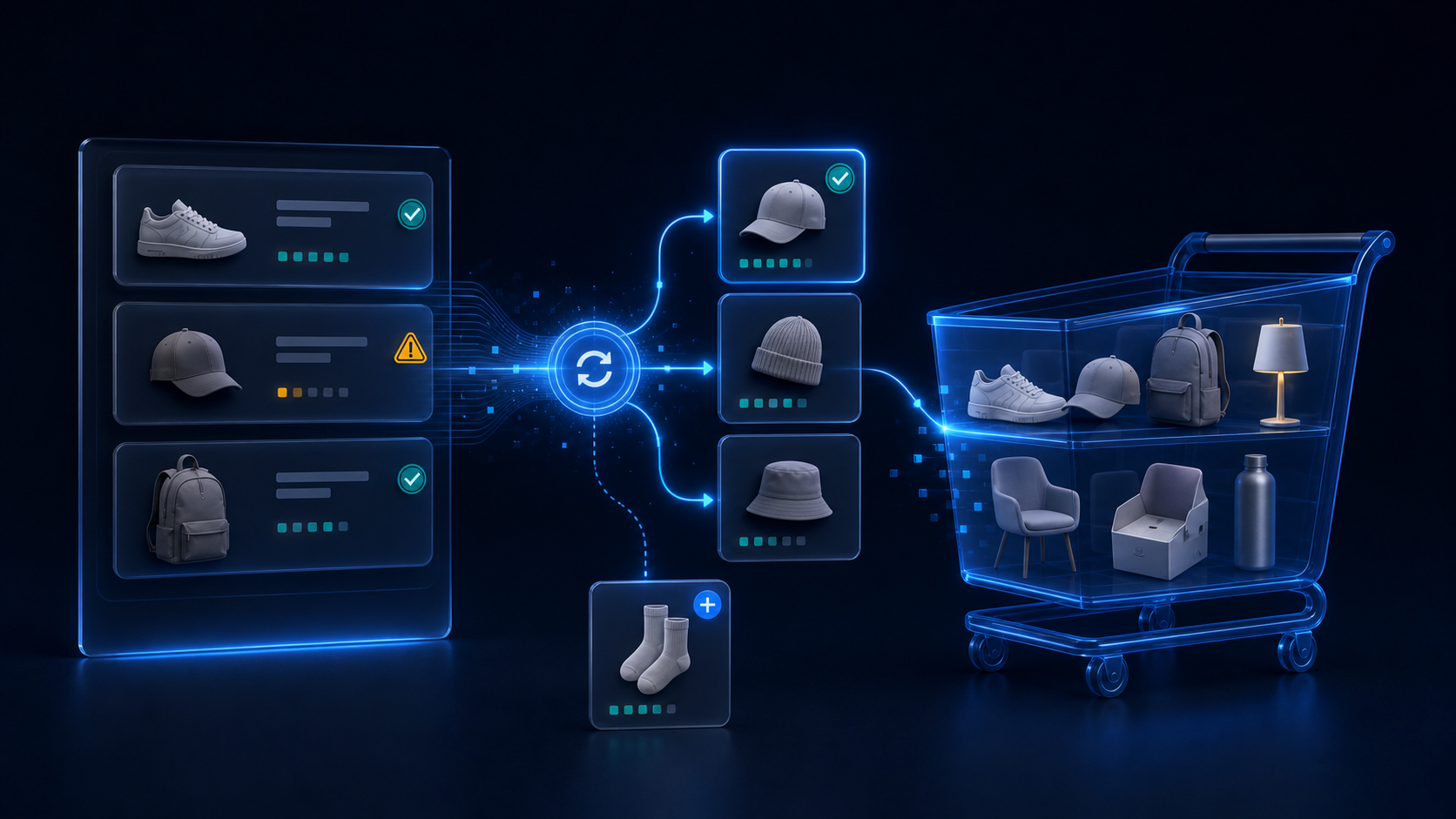
A customer opens an order from six months ago. One variant has been retired, another item is out of stock, and the customer already has a gift in the cart. A plain reorder button is easy; deciding what should happen next is the real product problem.
Shopify’s native Buy Again feature already gives eligible customers a fast way to repeat an order. Many stores need nothing more. But merchants with changing catalogs face a different question: can the reorder flow recover when the original item is no longer buyable, offer a useful addition, and preserve work already in the cart?
In conversations with store owners, managers, and agencies, MerchWeave kept hearing a specific gap. Their clients had seen replacement choices on other commerce platforms and expected a comparable option in Shopify. They also wanted related-product offers inside the Buy Again flow, not on a separate page after the reorder decision had already been made. That feedback led to MW ReorderFlow: Buy Again.
This comparison explains where Shopify’s standard button is sufficient, what a replacement-aware flow changes, and how the public listings of three Shopify reorder options differ.
What Shopify’s native Buy Again already does well
Shopify can display Buy Again in customer accounts and on the order status page. The feature is available in the checkout and accounts editor, and Shopify’s documentation says it is displayed in customer accounts by default. Customers can use it to reorder previously purchased items without a merchant installing another app.
That is the right baseline when:
- the catalog is stable;
- products and variants rarely become unavailable;
- the merchant does not need curated replacement choices;
- the reorder does not need its own upsell block or attributed-revenue reporting;
- keeping app count and monthly cost at zero matters more than controlling the flow.
Native Buy Again is therefore not a weak option. It is the lowest-complexity option. Shopify also notes that merchants can hide the default action and use apps or custom solutions for additional account functionality.
The boundary matters. Shopify’s public documentation describes reordering, but it does not describe a customer-facing replacement selector, a reorder-specific related-products block, or MW ReorderFlow’s cart-preserving merge behavior. If those are the failure points in your store, adding another generic Buy Again button will not solve them.
The hard part is catalog drift, not the button
Past orders are historical records. A new cart must use the catalog as it exists now.
Between the original purchase and the next reorder, a merchant may have changed a price, retired a color, deleted a variant, reduced available quantity, or replaced an old product with a new model. The safest reorder flow should not silently pretend that the old order is still fully available.
For a customer, the useful sequence is:
- Open the past order and choose which lines to buy again.
- Check current prices, variants, inventory, and available quantity.
- If an item is unavailable, show explicit alternatives and let the customer choose.
- Offer relevant additions while the customer is already rebuilding the order.
- Add confirmed items without deleting products already in the cart.
That sequence is the main difference between a Buy Again button and a managed Buy Again flow.
How MW ReorderFlow changes the experience
MW ReorderFlow adds a Buy Again action to Shopify customer accounts. Clicking it opens a popup for the selected paid order instead of immediately treating the historical order as a valid present-day cart.
Customers review the order before adding it
The popup shows the order lines and lets the customer remove items or adjust quantities. The app checks current variant availability, inventory, quantity, and price. This gives the customer a decision point before anything reaches checkout.
Unavailable items can have visible replacements
For an unavailable line, the merchant can provide up to three replacement choices. Replacements can come from Shopify-based automatic suggestions or manual product mappings. The app does not silently substitute an item; the customer selects the alternative.
This is especially useful for consumables, seasonal assortments, apparel colors, product revisions, and B2B catalogs where the commercial need continues after a specific SKU disappears.
Upsells appear inside the reorder flow
After the original order lines, the merchant can show related products. MW ReorderFlow supports a curated set of up to seven products or variants, or automatic recommendations. Availability is checked again before the item is added.
This does not guarantee a larger order. It creates a relevant selling opportunity at the moment when a returning customer is already assembling a repeat purchase.
The existing cart stays intact
Confirmed compatible lines merge into the current cart rather than replacing it. A customer can keep the gift, sample, or unrelated product already selected and add the reorder alongside it. This small behavior is important: a convenience feature should not erase work the customer has already done.
The app also records Buy Again clicks, paid reorders, and attributed revenue after a paid order is linked to the flow. Merchants can use those numbers to judge adoption rather than treating the button as an unmeasured theme detail.
Shopify Buy Again app comparison
The right comparison is not which app has the longest feature list. It is which option handles the failure mode your store actually has.
| Option | Public price and trial | What the public listing emphasizes | Best fit | Important trade-off |
|---|---|---|---|---|
| Shopify native Buy Again | Included with Shopify | Reordering from customer accounts and the order status page | Stable catalogs that need a basic repeat-order action | Shopify’s documentation does not describe replacement selection, a reorder upsell block, or app-level reorder attribution |
| MW ReorderFlow: Buy Again | $3.99/month; 14-day trial | Live price, stock, and variant checks; manual and automatic replacements; related products; cart preservation; paid-reorder analytics | Stores where catalog changes and existing-cart safety matter | Focused on customer-account reorders; it does not claim reminder email, POS, or subscription-reorder features |
| Reorder Pro – Buy Again B2B | $3.99/month; 3-day trial | Order-history browsing, bulk reorder, cart repopulation, custom button and layout, reorder tags | Merchants wanting a customizable repeat or bulk-order entry point | Its public listing does not advertise customer-selected replacements, a reorder upsell block, live catalog checks, or cart-preserving merge behavior |
| Buy Again & Reorder Reminders | From $8/month; 7-day trial | Reorder popup and page, reminders, order history, analytics, and higher-tier integrations | Stores prioritizing replenishment reminders, subscription orders, POS, or integration breadth | Replacement selection and preservation of an existing cart are not foregrounded in the public listing; several advanced features require higher tiers |
Prices and public listing details were checked on August 5, 2026. App pricing and features can change, so confirm the current listing before deciding.
The comparison makes MW ReorderFlow’s position concrete. Reorder Pro starts at the same price and is a sensible choice for button customization, tagging, and straightforward bulk reorder. Buy Again & Reorder Reminders is broader when reminder campaigns, POS, subscriptions, and integrations are the priority. MW ReorderFlow is the more focused choice when the reorder itself must handle unavailable items, offer related products, and protect the existing cart—at a $3.99 entry price.
Which option should you choose?
Choose Shopify’s native Buy Again when most past lines remain purchasable and the shortest setup is the objective. Do not install an app merely to reproduce a button Shopify already provides.
Choose MW ReorderFlow when one or more of these conditions are common:
- customers return to orders after variants or products have changed;
- staff can define better successor products than a dead-end out-of-stock message;
- related products belong naturally in the repeat-purchase decision;
- customers may already have unrelated items in the cart;
- the team wants paid-reorder attribution for the flow;
- an agency needs a repeatable setup for clients with evolving catalogs.
Choose a reminder-led competitor when the primary problem is getting customers back on a schedule, not resolving changes after they click Buy Again. Choose a B2B-oriented reorder tool when bulk order history, layout customization, or tagging matters more than replacement control.
A practical setup checklist
MW ReorderFlow is intentionally narrow, but the setup still deserves a real test:
- Confirm that the store uses Shopify customer accounts.
- Add the Buy Again action in the checkout and accounts editor.
- Disable the duplicate native Buy Again action if both are visible.
- Map replacements for the discontinued or frequently unavailable products that matter most.
- Add only related products that make sense beside a repeat order; do not turn the popup into a catalog page.
- Test an order with an unavailable variant, a changed price, limited quantity, and an item already in the cart.
- Complete a paid test order before using attributed-revenue reporting as a decision signal.
The result should feel like recovery, not friction: the customer sees what changed, chooses what replaces it, considers a relevant addition, and keeps the cart they already started.
For the full workflow, replacement rules, upsell configuration, and setup steps, see the MW ReorderFlow product page. If the use case already fits, install MW ReorderFlow from the Shopify App Store and use the 14-day trial to test it against real past orders.